
Animate any property
Animate one property at a time, including colour and wipes, when a preset is not enough.
Primitives animate a single property: position, scale, opacity, colour and more. Use them when you want exactly one thing to move, or to build your own combination.
Add a primitive
Select a layer and open Animate
Choose Add, then Primitives. The list shows only what the selected layer can do.
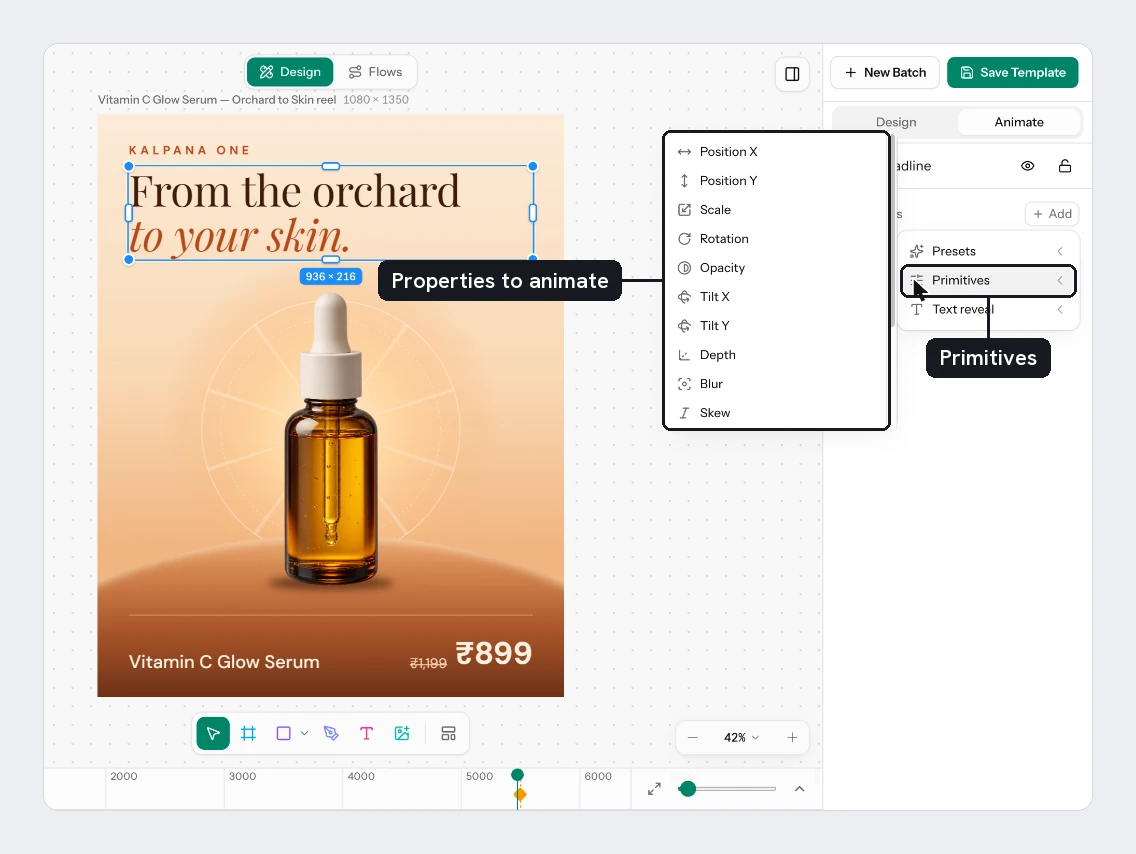
Pick a property
A two-keyframe animation is added at the playhead. It lasts half a second and ends on the layer's own value, so the still design does not change.
Open its row
Click the row to set Delay, Length, keyframes and Easing. Rotation, Scale, Skew, Width and Height also have an Origin, where 0 is the centre and 1 or -1 is an edge.
What you can animate
| Property | Starts from, ends at |
|---|---|
| Position X, Position Y | 40 px away, 0 |
| Scale | 80%, 100% |
| Rotation | -15 degrees, 0 |
| Opacity | 0%, 100% |
| Tilt X, Tilt Y | 25 and -25 degrees, 0 |
| Depth | -300 px, 0 |
| Blur | 14 px, 0 |
| Skew | -12 degrees, 0 |
| Trim end | 0%, 100%. Draws a path in. Not on text |
| Width, Height | 0%, 100%. Not on text |
| Corner radius | A pill, then the layer's own corners. Rounded layers only |
| Stroke weight | 0, then the layer's weight. Layers with a stroke |
| Shadow | 160%, 100%. Layers with a drop shadow |
| Wipe right, left, up, down | Reveals the layer from one edge |
| Fill color, Stroke color | Fades from blue to the layer's own colour |
Wipe right reveals from the left edge towards the right. Wipe left, up and down work the same way in their own direction. Stroke color is not available on text.
Try it
Select the Badge on the sale card. Add Rotation, then open its row and set the first keyframe to -45. Add Fill color and pick a brighter starting colour.
Next
- Keyframes and easing shows how to add steps to a row.
- The timeline lets you drag rows to retime them.
- Motion templates
Updated 4 Nov 2026