
Motion Templates
Animate layers, render rows as MP4, GIF or animated WebP, and estimate their credit cost.
A motion template is a template with animation. It renders each row as a video as well as, or instead of, a still image. Motion templates carry a Motion badge in the gallery and in My Templates.
Add animation
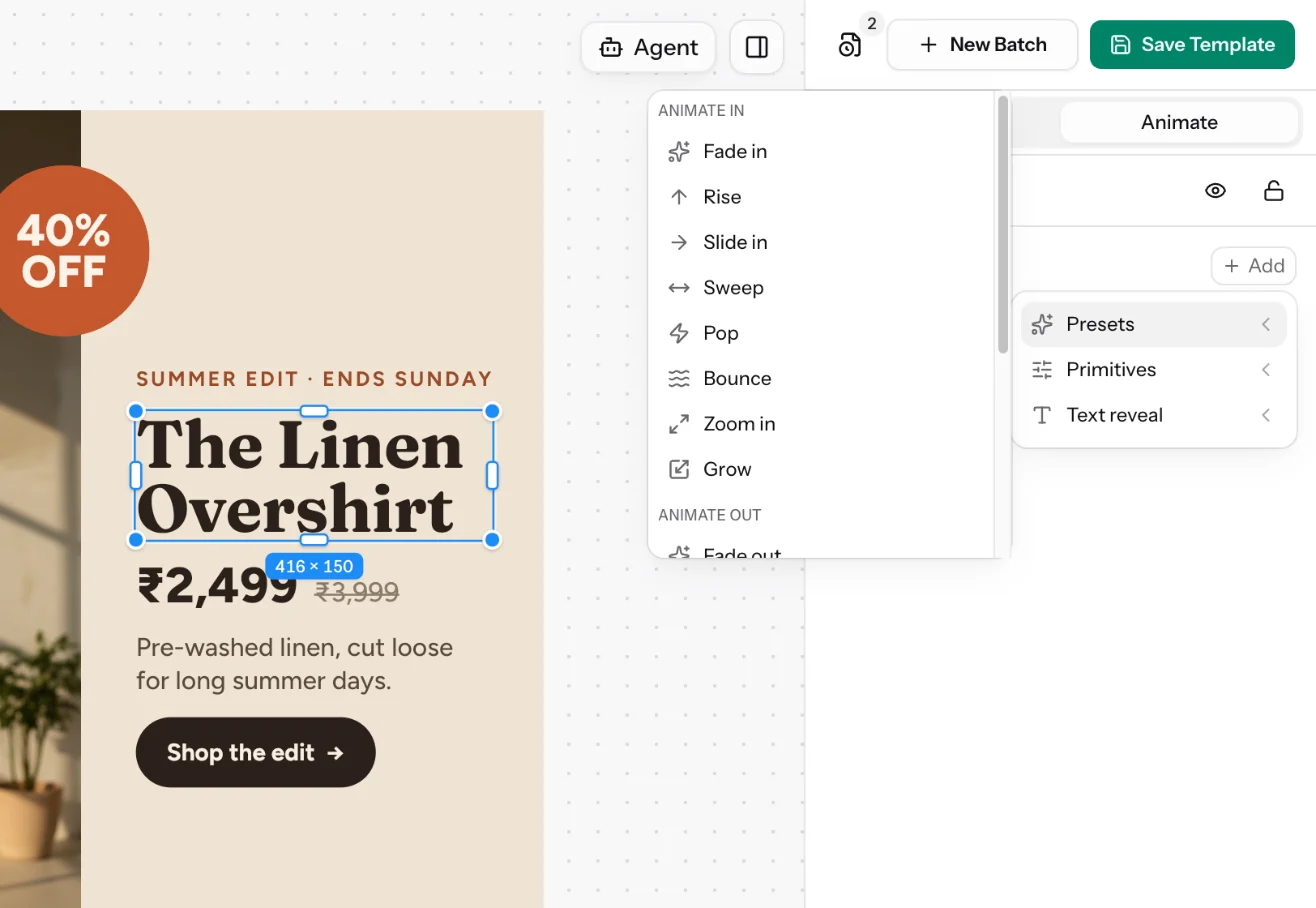
In the designer, select a layer and switch the right panel to Animate. Choose Add and pick from:
- Presets: ready-made entrances and exits. Animate in includes Fade in, Rise, Slide in, Sweep, Pop, Bounce, Zoom in and Grow, with matching Animate out moves.
- Primitives: one property at a time, such as Position X and Y, Scale, Rotation, Opacity, Blur, Width, Tilt and Depth, plus colour. Each segment takes an easing: Linear, Ease in, Ease out, Ease in-out, Overshoot or Anticipate.
- Text reveal: fade, slide or pop the text in by Word, by Letter or All at once.
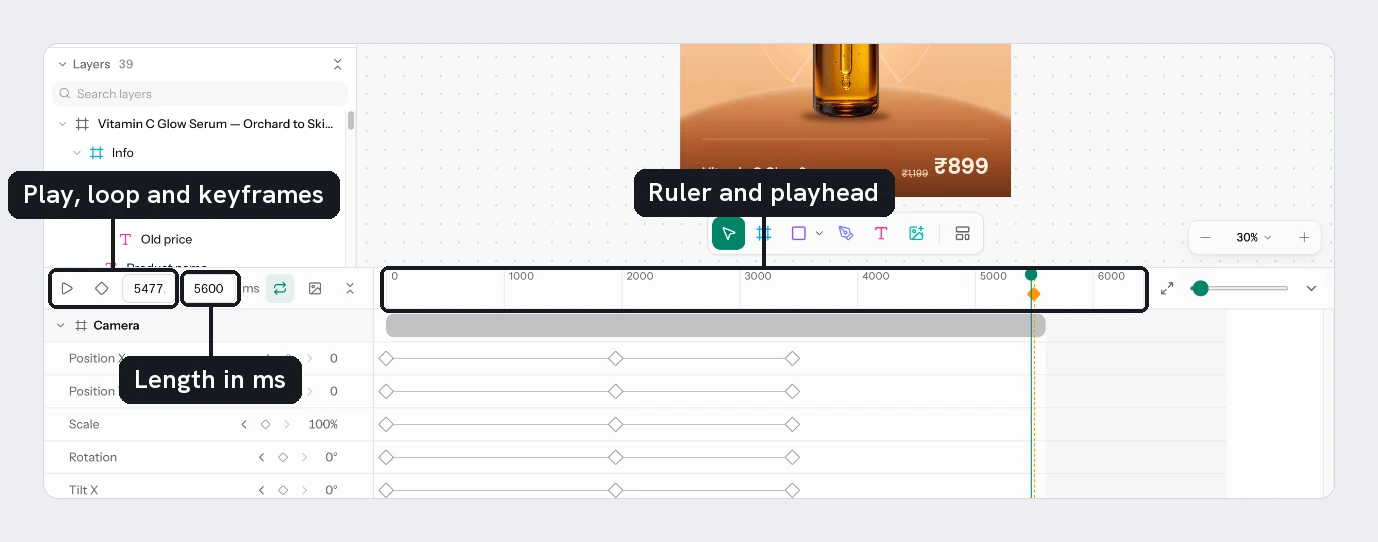
The timeline under the canvas shows each layer's animation over time. Its toolbar has play, loop, a keyframe edit mode, the current time, the page's length in milliseconds (type a new one, from 100 to 60 000), the still-moment button, and a button that collapses every layer.
To join several pages into one video, use Template Flows.
Output formats
For each row of a motion template you can choose:
| Kind | Formats |
|---|---|
| Image (one frame) | PNG, JPEG, WebP |
| Video | MP4, GIF, WebP |
Static templates offer image formats only.
An image of a motion template shows one moment of the page, its still moment. Set it on the timeline: move the playhead to where all the content is in place and choose the image button in the timeline toolbar (Use this moment for still images), or drag the amber diamond in the ruler. Choose the button again with the playhead on the marker (Remove the still moment) to clear it. The moment is saved with the template, and it moves back to the end of the page if you shorten the page. With no still moment, an image shows the last frame, where the motion has settled.
An assistant can also set it through the designer MCP, and an assistant creating a batch through the MCP server can pick a moment for that batch with stillTime.
Credit cost
An image costs 1 render credit. A video costs one render credit per second of animation, multiplied by its size relative to 1920 × 1080 when it is larger, and rounded up, with a minimum of 1.
| Video | Credits |
|---|---|
| 5 seconds at 1080 × 1080 | 5 |
| 5 seconds at 1920 × 1080 | 5 |
| 6 seconds at 2160 × 2160 | 14 |
The run confirmation shows the exact total before anything renders, and a failed render is never charged.
The template page and its cards show a still image of each page, taken at the page's still moment, not the animation. Check the animation itself in the designer before running a large batch.
Updated 4 Nov 2026