
Connected Assistants
See which apps and AI assistants can use your account, and disconnect them.
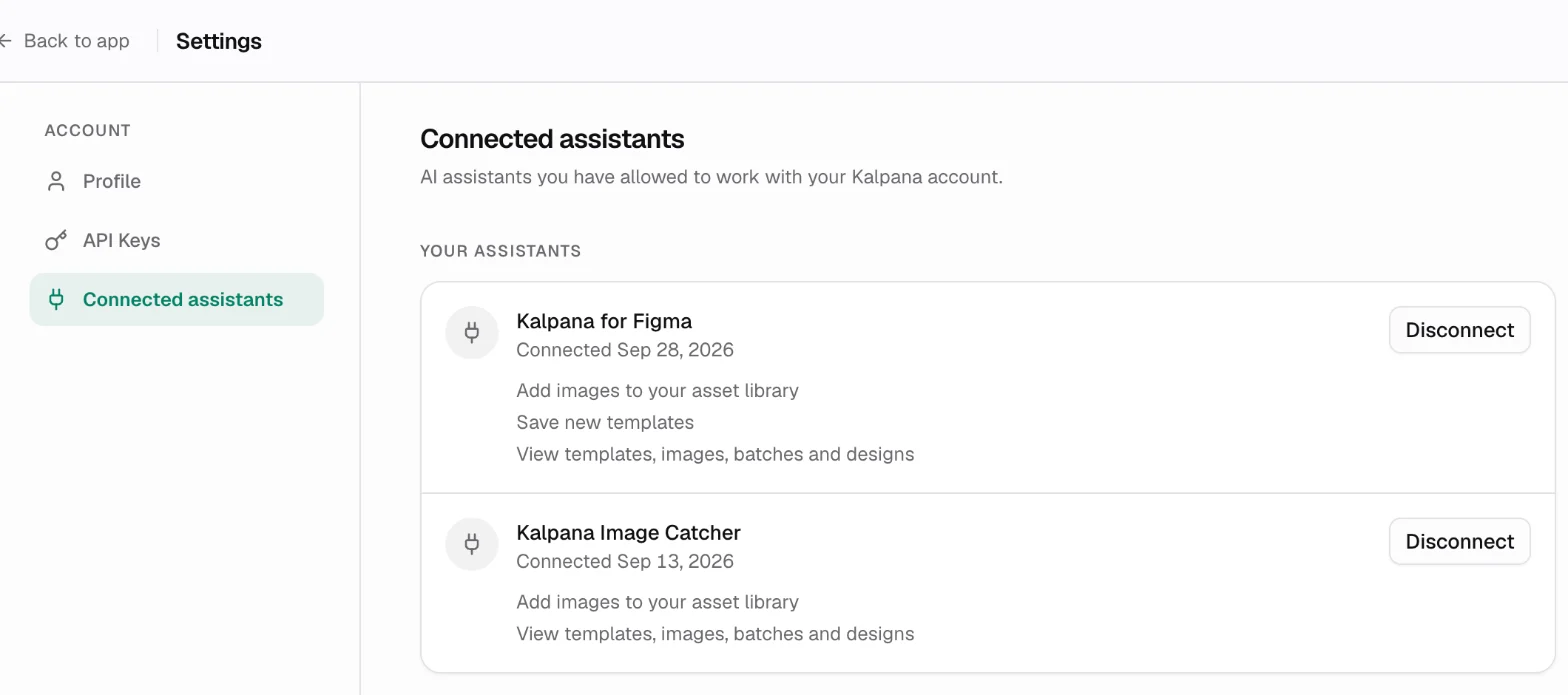
Settings → Connected assistants lists every app and AI assistant you have allowed to work with your Kalpana account, such as the Figma plugin or an AI assistant connected through the MCP server.
Each entry is labelled with what it is connected to: Batch MCP for an assistant using the batch server, which fills templates with data and renders batches; Designer MCP for an assistant using the designer, which designs and edits templates; or Figma plugin for Kalpana for Figma, which exports designs as templates. An assistant connected to both MCP servers has an entry for each.
What an assistant can do
When an assistant connects, Kalpana shows a consent screen where you choose the workspace to share and see what it will be allowed to do. A connection covers one workspace; to use another, connect again and choose it.
| Permission | Allows |
|---|---|
| See your templates, images, batches and finished designs | Reading your workspace content. The consent screen names only what the assistant asked to see |
| Create batches | Creating batches and starting renders, which uses your organization's render credits |
| Add images to your asset library | Uploading images |
| Save new templates into your workspace | Creating templates, used by the Figma plugin and the designer MCP |
| Design and change templates in your workspace | Editing templates, used by the designer MCP |
Each entry lists the workspace it can reach, the permissions it was given and when it connected. Connections made before workspace selection show All your workspaces.
Disconnect
Choose Disconnect to revoke that connection straight away. To use it again, connect it again from the app.
Updated 4 Nov 2026