
The timeline
Play, scrub and retime every animation on a page, and set the page's length.
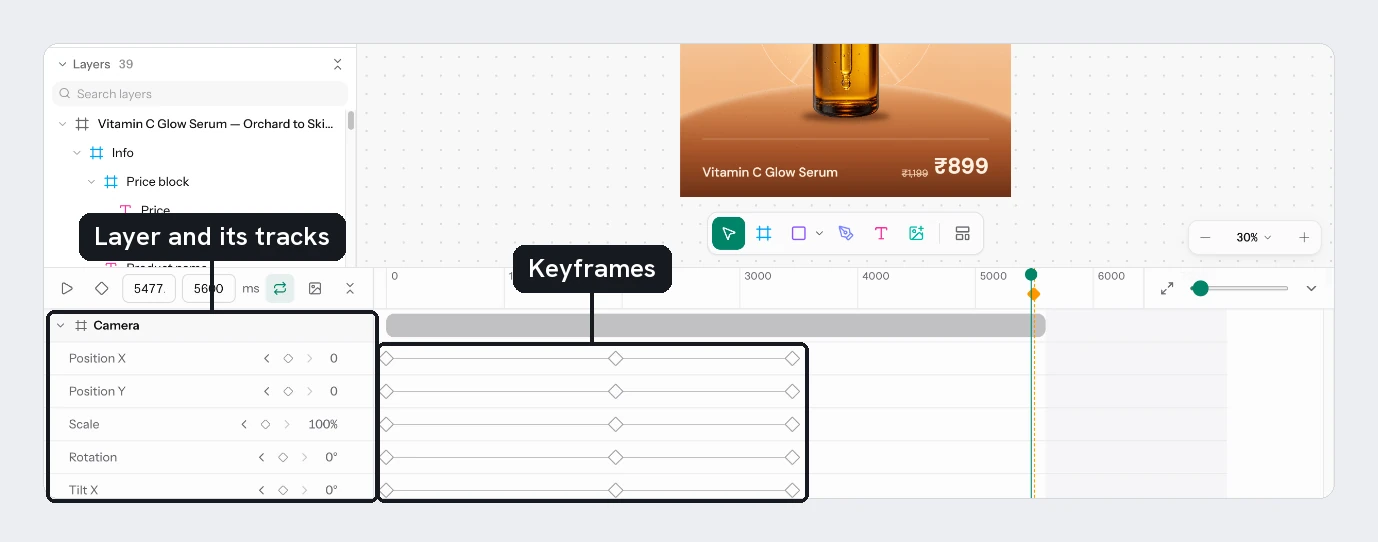
The timeline sits under the canvas and shows each layer's animation over time. It appears once any layer is animated, and stays hidden on a still page.
The toolbar
| Control | What it does |
|---|---|
| Play / Pause | Plays the page. Tap Space for the same |
| Keyframe edit mode | The diamond. While on, click a row to add a keyframe and click a diamond to remove it |
| Current time | The playhead position in ms. Type to jump |
| Length | The page's length in ms, from 100 to 60 000. It applies when you leave the field |
| Loop playback | Plays again from the start |
| Still moment button | See Set the still moment |
| Collapse all layers | Folds every layer to one row |
The dock itself folds with Collapse timeline. In the ruler, Fit to width and the Zoom slider change how much time you see.
Read and move things
Scrub
Click or drag the ruler to move the playhead. The canvas shows that moment.
Read the rows
Each animated layer has a header row with a chevron (Expand or Collapse) and its name. Below it are rows for each property. A row shows its value at the playhead, with Previous keyframe and Next keyframe to jump between diamonds, and Hide track to mute it.
Retime
Drag a layer's bar to shift all its animation, or drag the edge of a bar to stretch it. Drag a diamond to move one keyframe. Hold Cmd/Ctrl or Shift while dragging a diamond to shift the whole animation.
Type exact values
Double-click a diamond to type its time in ms and, on property rows, its value or colour.
Delete
Click a row, add more with Shift, then press Delete or Backspace to remove those animations.
Undo covers animations, the page's length and the still moment.
Try it
Animate Badge and Price on the sale card. Set the length to 3000. Drag the Price bar so it starts 400 ms after the badge, then loop and play.
Next
Updated 4 Nov 2026