
Kalpana Designer Studio
Choose a transition
Pick the right one of the 22 transitions for the change between two pages.
A transition is how the next page arrives. Pick one that suits the moment, and use few kinds in one video.
Pick one
Select the arrow
On the board, click the arrow or its chip. You can also click the transition segment in the strip.
Choose from the grid
The right panel shows a grid of animated tiles, one per transition. Hover a tile for its description. Choose one and press Play in the panel to see it.
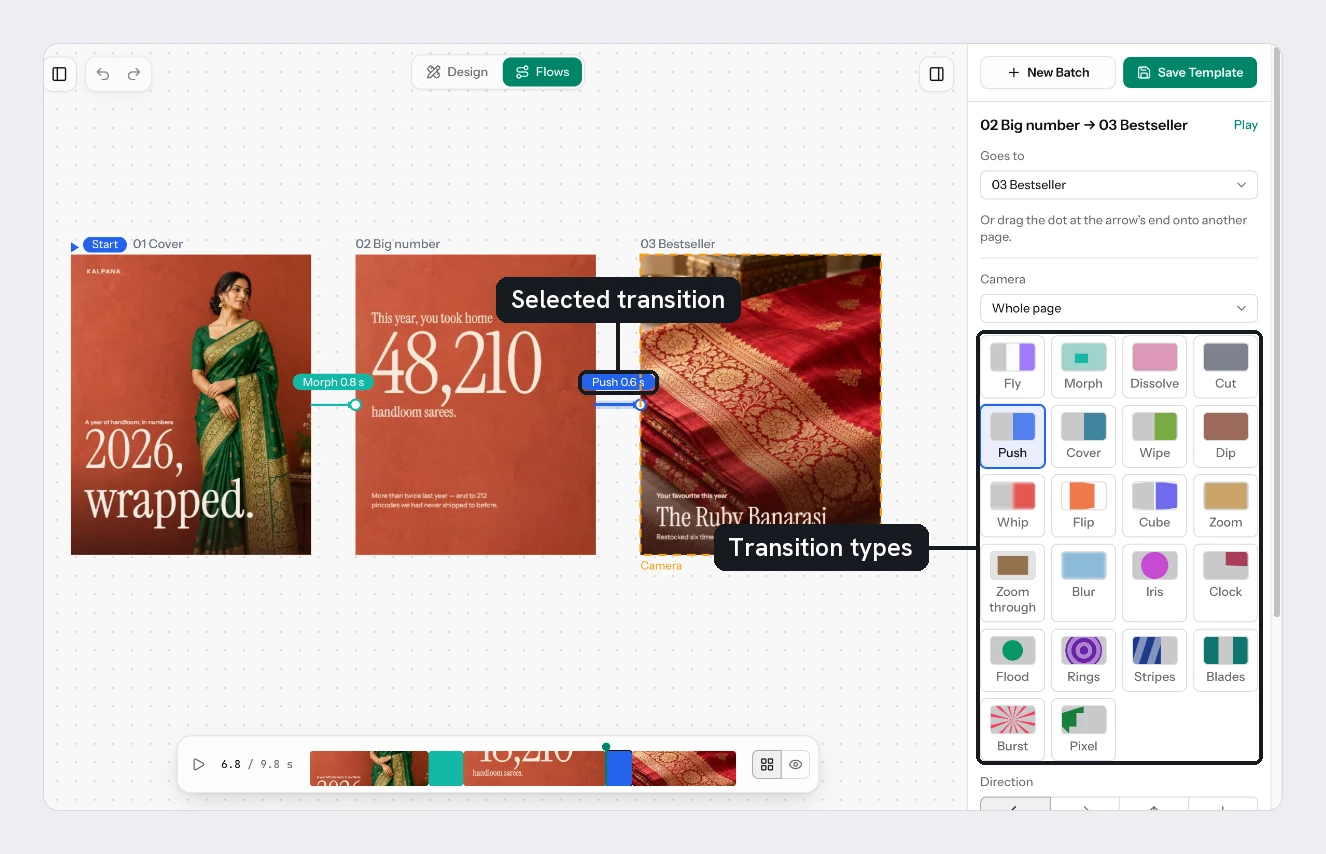
All 22
| Transition | What it does | Use it for |
|---|---|---|
| Cut | Straight to the next page | A fast, hard change |
| Dissolve | The next page fades in | A calm default |
| Fly | The camera flies across the board | Pages that read as a journey |
| Morph | Layers with the same name glide, the rest fade | The same product in two layouts |
| Push | The next page shoves this one out | Steps in a list |
| Cover | The next page slides over this one | A reveal that stacks |
| Wipe | A hard edge crosses the page | A clean, graphic change |
| Whip | A very fast push with motion blur | A quick, energetic cut |
| Zoom | This page grows away, the next fades up | A gentle step in |
| Zoom through | The camera passes through this page | Going deeper into a detail |
| Blur | This page blurs out, the next comes into focus | A soft change |
| Flip | The pages turn like a card | Front and back, before and after |
| Cube | The pages are faces of a turning cube | A playful change |
| Iris | The next page opens through a growing circle | Focusing on the next page |
| Clock | A hand sweeps round | A timer or countdown feel |
| Dip | Dips to a colour, then the next page | A pause between ideas |
| Flood | A circle of colour floods the page | A bold brand colour moment |
| Rings | Rings of colour grow from the middle | An announcement |
| Stripes | Tilted bands sweep across | A sale or promotion |
| Blades | Two panels slam shut and part | A strong, mechanical change |
| Burst | Rays shoot out, then a circle floods | A big reveal |
| Pixel | Rows of colour step across in blocks | A digital or retro look |
Morph pairs layers by name, so give matching layers the same name on both pages, such as Price and Title.
Try it
On the three-page sale flow, make Hook to Product a Push, and Product to Offer a Burst. Play it, then try the same change as a Dissolve to see the difference.
Next
Was this page helpful?
Updated 4 Nov 2026